01
See everything
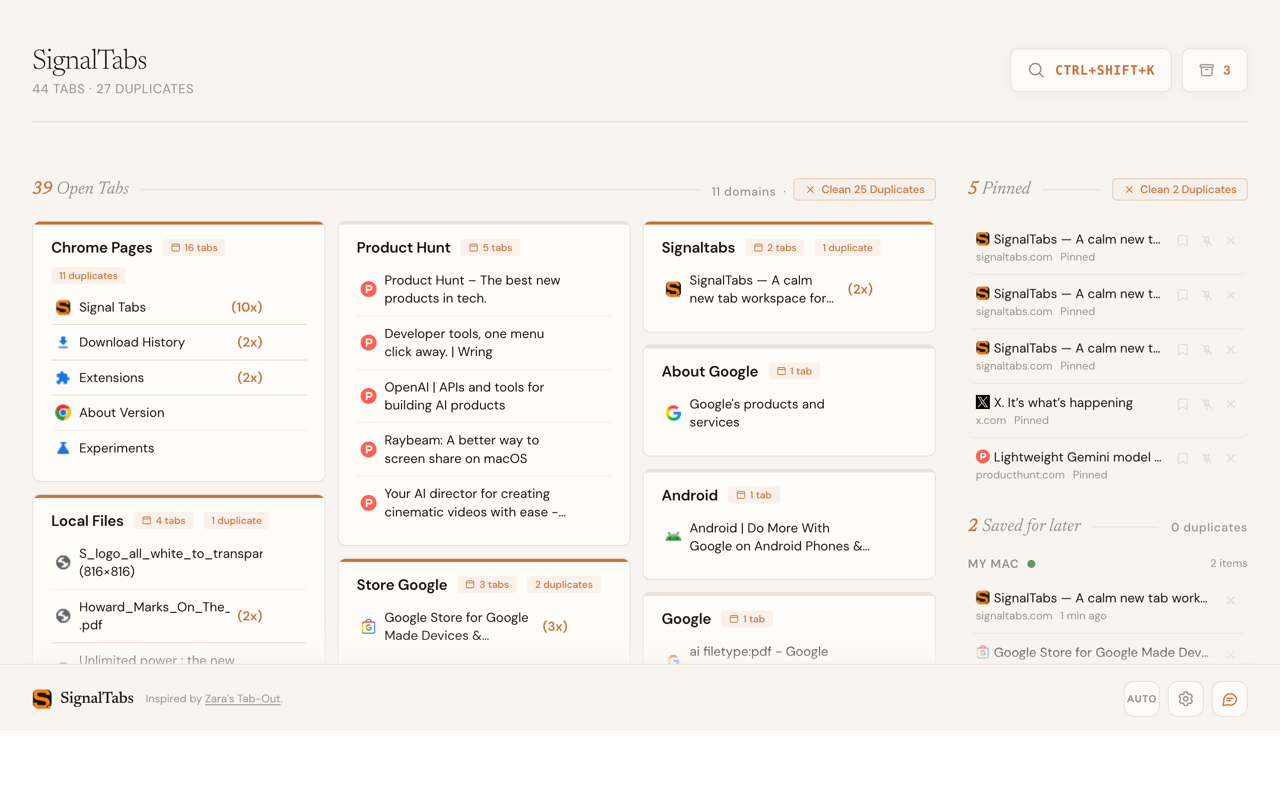
Open one new tab to scan tabs from every Chrome window, grouped by site instead of squeezed into tiny favicons.
See every tab across every Chrome window, act on clutter in batches, and reopen supported pages when you need them.
These guides turn high-intent Chrome tab questions into a clear SignalTabs workflow, with the trust boundaries up front.
SignalTabs replaces the unreadable tab strip with a daily control surface built around three jobs.
Open one new tab to scan tabs from every Chrome window, grouped by site instead of squeezed into tiny favicons.
Surface the tab making noise, mute it in place, or gather every other window into the one you are using.
Close duplicates, site groups, or all open tabs after supported URLs are recorded in your local Archive.
Use the Dashboard as the starting point, then take the smallest action that gets your browser back under control.
Audio tabs rise to the top across all windows. Jump to one, mute it in place, or silence every currently playing tab.
Move tabs from other Chrome windows into the current one while preserving pinned tabs and native groups when permission is granted.
Keep one copy of duplicates, close a site group, or clear all Open Tabs. SignalTabs records closed URLs locally before the tabs disappear.
When more than 20 background tabs are eligible, review and release them without closing or moving them. SignalTabs shows an approximate local estimate; opening a released tab reloads the page.
SignalTabs makes cleanup a visible sequence instead of a blind delete.
SignalTabs restores the page URL, not unsaved form input, scroll position, or in-page state.
Press ⌘⇧K from any page to search open tabs, Saved for later, local Archive, recent Chrome sessions, bookmarks, and history.
SignalTabs runs its core tab-management features locally. No account is required, and your tab list, saved items, history, and page content are not uploaded by default.
No. Core tab management does not upload your tab list, saved items, history, or page content. Feedback is separate and only sends the text you choose to submit.
Yes. SignalTabs and its current public features are free to use, with no SignalTabs account or trial required.
SignalTabs syncs saved items through your Chrome account using chrome.storage.sync. No separate account or server needed — just sign into Chrome on each device.
Tabs closed through supported SignalTabs cleanup flows are recorded in local Archive for a retention window you control. Reopening restores the URL, not unsaved form input, scroll position, or in-page state.
Yes. SignalTabs shows tabs from all open Chrome windows, lets you jump across them, and can gather tabs from other windows into the current one.
SignalTabs requires permissions to read open tabs, store local state, support reopen flows, and power search. See our permissions audit for a detailed breakdown.
No. Eligible background tabs stay in their original windows and reload when clicked. Background audio may stop, and unsaved transient page state may be lost. Any MB or GB shown is an approximate local estimate, not a measurement of system memory.
Install SignalTabs and turn every new tab into a local operations dashboard for your browser.
Take control — Add to ChromeFree · No sign-up · Local-first